
Support · People and access
Roles
What each role can see and do, the default role, and how to change or delete one.
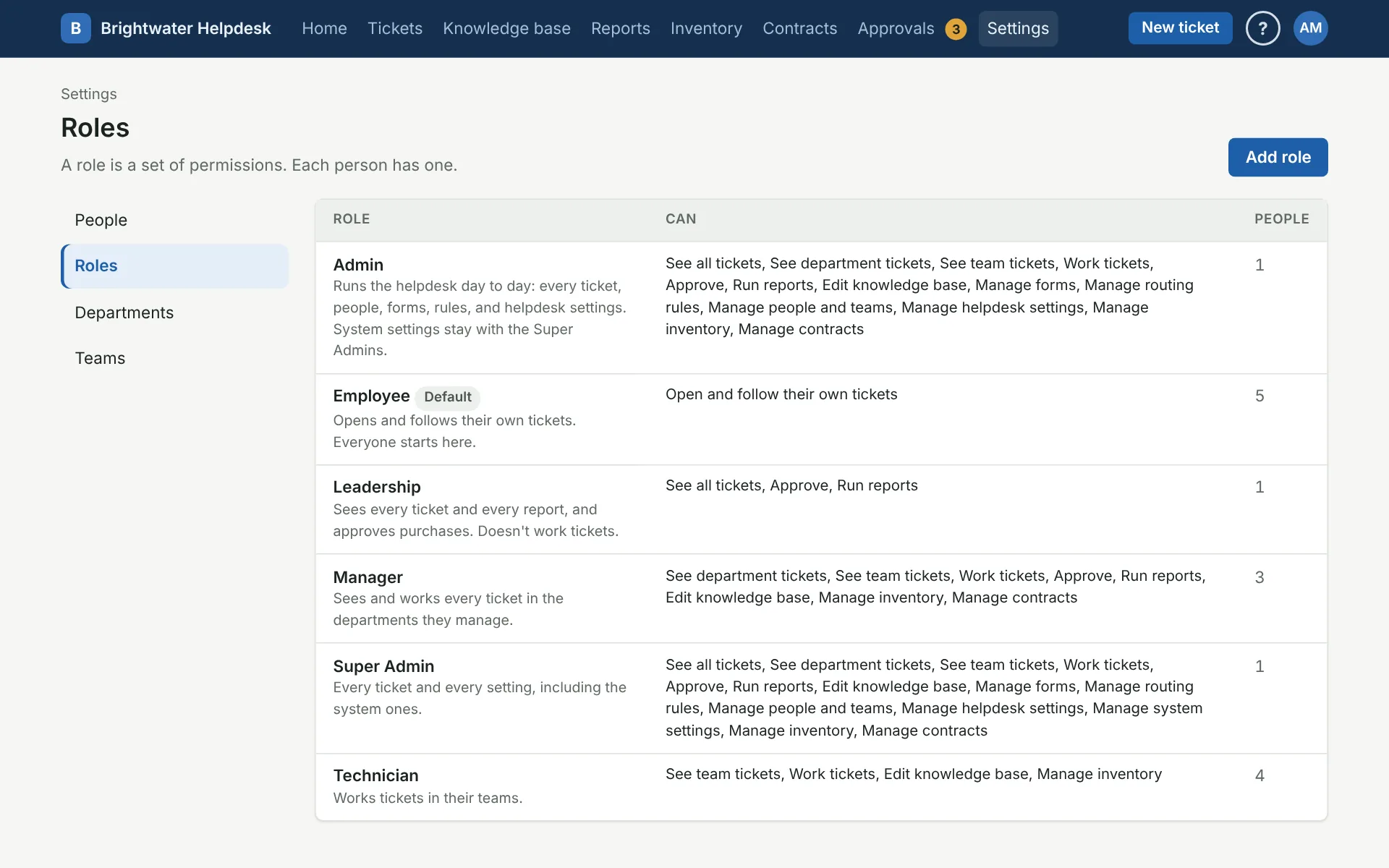
A role is a set of permissions, and each person has one. The Roles page lists every role, what it can do, and how many people have it. A role with no permissions can open and follow their own tickets.
The permissions
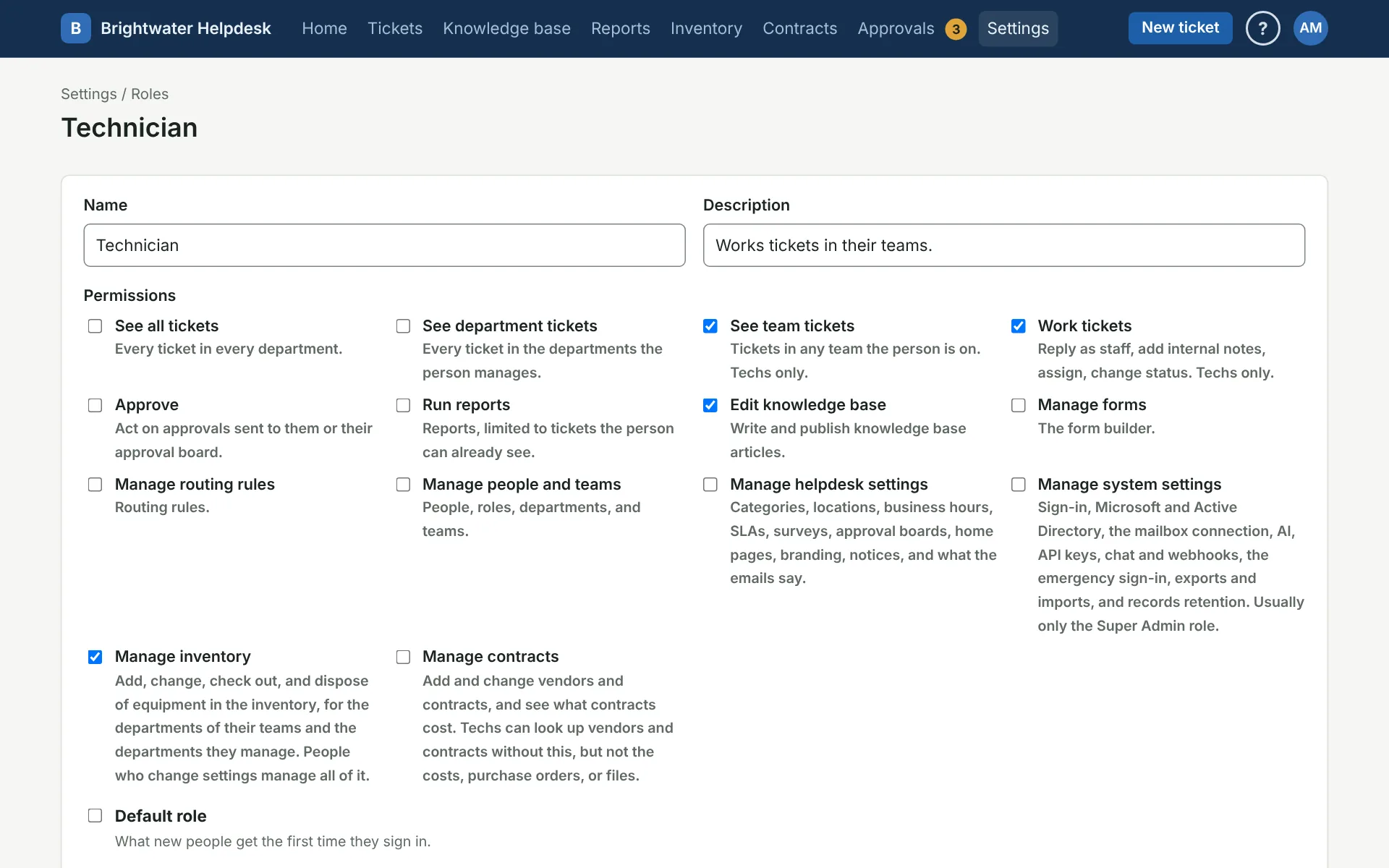
- See all tickets: every ticket in every department.
- See department tickets: every ticket in the departments the person manages.
- See team tickets: tickets in any team the person is on. Techs only.
- Work tickets: reply as staff, add internal notes, assign, and change status. Techs only.
- Approve: act on approvals sent to them or their approval board.
- Run reports: reports, limited to tickets the person can already see.
- Edit knowledge base: write and publish articles.
- Manage forms: the form builder.
- Manage routing rules: routing rules.
- Manage people and teams: people, roles, departments, and teams.
- Manage helpdesk settings: categories, locations, business hours, SLAs, surveys, approval boards, home pages, branding, notices, and what the emails say.
- Manage system settings: sign-in, Microsoft and Active Directory, the mailbox connection, AI, API keys, Slack and Teams apps, channel alerts and webhooks, the emergency sign-in, exports and imports, and records retention.
“Techs only” means the person also needs Tech ticked on their People page.
The default role
The role marked Default is what new people get the first time they sign in, and what people added from email or the directory get. Because it goes to everyone, it can’t see all tickets or manage people, helpdesk settings, or system settings. One role always has to be the default, so to change it, tick Default role on another role.
Super Admin and Admin
Super Admin has every permission. Admin has everything except Manage system settings. The Super Admin role keeps every permission as long as nobody active outside it has them all, so someone can always reach the system settings.
Nobody gets more than you have
You can’t give a role a permission you don’t have yourself, and you can’t change a role that has access you don’t have. The same goes for people: you can’t put someone in a role with more access than yours. The helpdesk also won’t let you take Manage people and teams off a role if nobody else would be left who can manage people.
Delete a role
Open the role and use Delete this role at the bottom. If people have the role, pick the role they move to first. You can only move them to a role with no more access than yours.
The default role and Super Admin can’t be deleted, and a role a routing rule checks for has to come out of that rule first. Roles can’t be turned off. See Deleting settings.
More on people and access
Still stuck?
Search all the guides or write to us on the Support page.