
Support · Records and your data
Importing from another helpdesk
Bring people, sites, old tickets, and their replies over from CSV files, with a preview before anything is saved.
Import brings people, sites, and old tickets over from another system or a spreadsheet. Most helpdesks can export to CSV, and so can Excel. Nothing is saved until you’ve seen a preview.
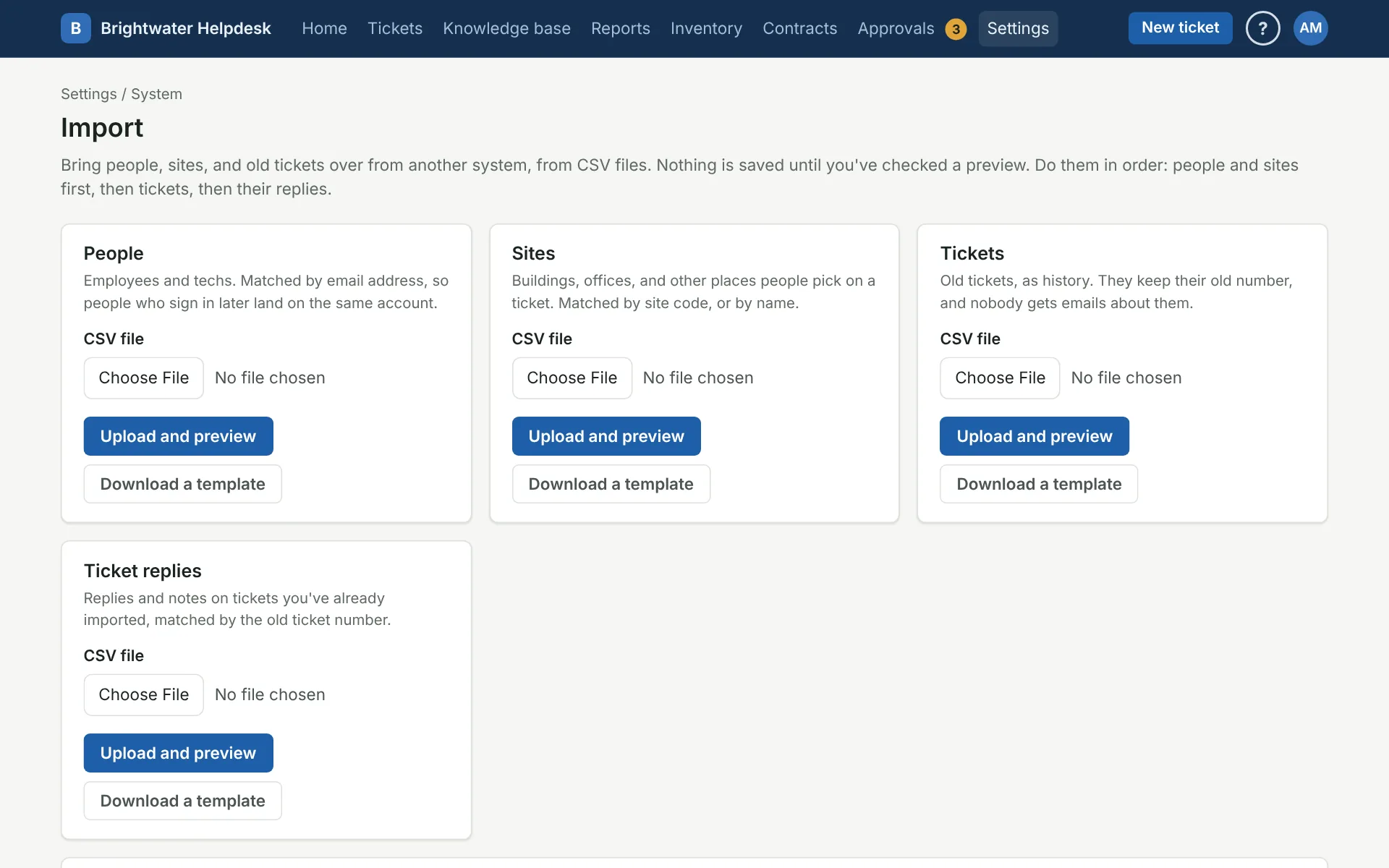
Go in this order, so each one can find what the last one brought in:
- People, matched by email address. When they sign in later, they land on the same account.
- Sites, matched by site code, or by name.
- Tickets, as history.
- Ticket replies, matched to the imported tickets by their old number.
Each kind has a Download a template link with the column names it looks for, if you’re building the file by hand.
The preview
After you upload a file, the preview guesses which column is which from the column names. Most helpdesks’ exports are recognized, and a RequestCrew ticket download is too. Fix any guess that’s wrong and click Check again.
For tickets, you also match the file’s categories, statuses, and priorities to yours, and pick a category for anything that doesn’t match. Categories with the same name are matched for you.
Then the preview shows how many rows will come in, the first few as they’ll be read, and every row that’s left out or brought in with a note, by row number. Fix the file and upload it again, or go ahead.
People and sites already here
People and sites that are already in the helpdesk are left alone unless you tick Update the ones already here. A role in the file is used when it matches one of yours, but an import never makes anyone a Super Admin, and never changes a Super Admin’s role.
Tickets
Imported tickets are history. They don’t send emails, run routing rules, or start an SLA clock. Each one keeps its old number, shows “Imported from another helpdesk” on its page, and comes up when you search for the old number, unless a ticket here already has that number. Bringing in the same file twice doesn’t make duplicates.
Requesters who aren’t in the helpdesk yet are added as email-only contacts. A tech or site that can’t be found is left blank, and the preview says which rows that happens on.
Undo
Under Past imports, a ticket or reply import can be undone. That removes what it added, as long as nobody has worked on those tickets since. Undo replies before the tickets they’re on. People and sites stay once they’re in; change or delete them under Settings like any other.
More on records and your data
Still stuck?
Search all the guides or write to us on the Support page.