
Support · First steps
Which email setup to pick
The built-in address, your own address, or your own mailbox. What each one is good for, and how to choose.
If RequestCrew hosts your helpdesk, email already works. For most organizations the only question is whether people should see your own address on it. Start with the built-in address, and change it later if you want to. You can switch any time on Settings, System, Mailbox connection.
The built-in address
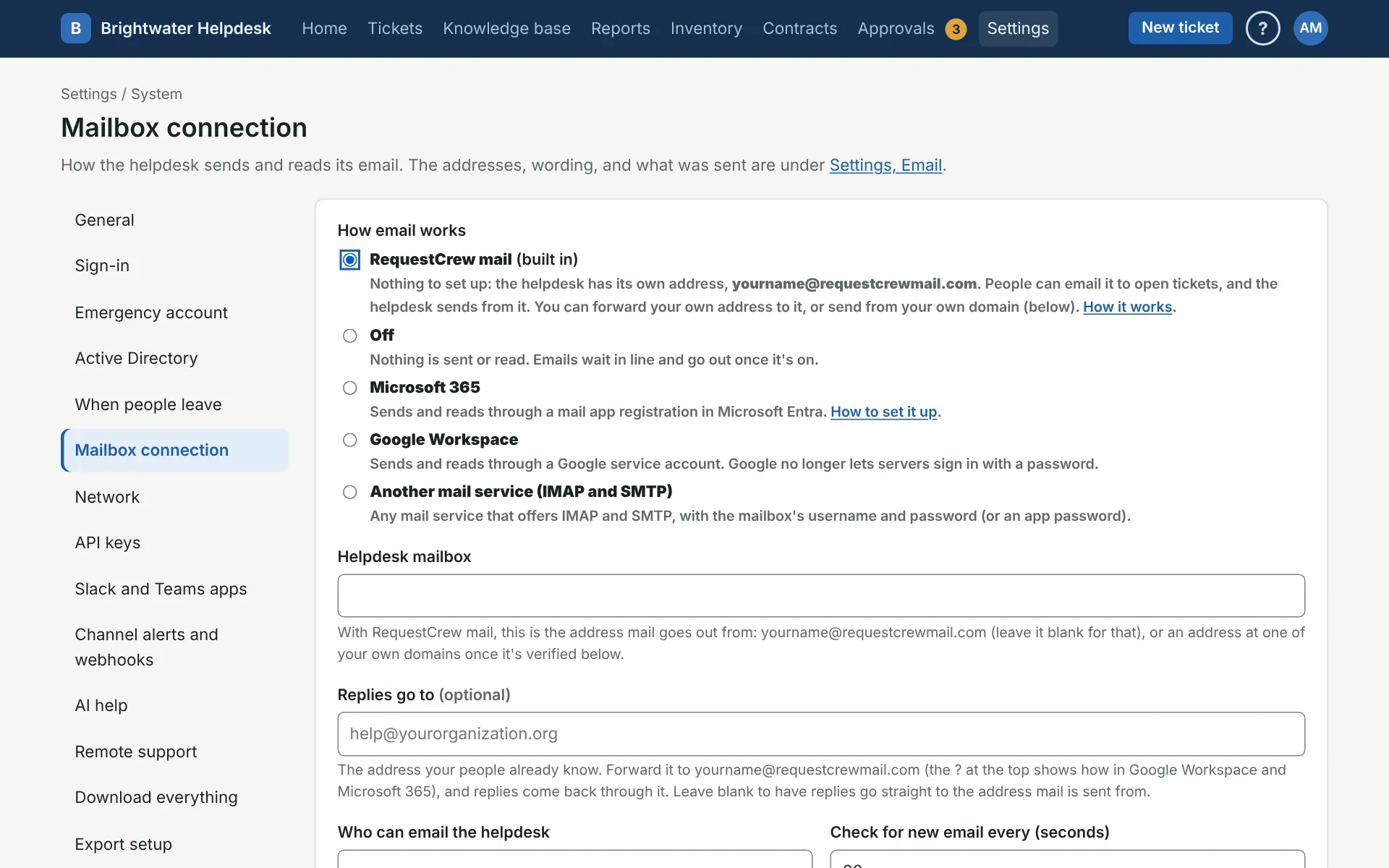
Your helpdesk has its own address, shown on Mailbox connection. It sends receipts, replies, and password emails, and anyone in your email domains can email it to open a ticket. There’s nothing to connect. This is fine if you’re trying things out, or if nobody minds what the address looks like.
Keep the address your people already know
If people already email something like help@yourorganization.org, keep it. Forward it to the helpdesk’s address, and put your address in Replies go to. Email to your address opens tickets, and replies come back the same way. The helpdesk’s emails still say they’re from its own address. You’ll need someone who can set up forwarding in Google Workspace or Microsoft 365. See RequestCrew mail.
Send from your own domain
To have the helpdesk’s emails come from an address at your domain too, add your domain and put the records it gives you in your domain’s DNS. You’ll need someone who can change your DNS. Records usually show up within a few minutes, and sometimes take up to a day. See RequestCrew mail.
Most organizations don’t need anything past this. To your people it looks like your own mailbox, with nothing else to keep up.
Connect your own mailbox
Connect a mailbox of your own only if you have a reason to, like a rule that this mail has to stay in your own Microsoft 365 or Google Workspace. The helpdesk then signs in to that mailbox to read and send. It’s more to set up and more to look after.
- Microsoft 365: a shared mailbox and its own app. Plan on about half an hour with an Exchange admin, plus up to two hours of waiting for Microsoft. The client secret runs out after 24 months, so someone has to renew it.
- Google Workspace: a user and a Google service account.
- Another mail service: any mailbox with IMAP and SMTP.
If your people come from other organizations
The helpdesk only takes email from your own email domains. If you serve people at other organizations, Also take email from people already in the helpdesk, from any domain lets them email in. A Microsoft 365 mailbox only passes mail from inside your organization, so use RequestCrew mail, Google Workspace, or another mail service for this. See Mailbox connection.
More on first steps
Still stuck?
Search all the guides or write to us on the Support page.