
Support · Email
Mailbox connection
Connect the helpdesk mailbox so it can send email and open tickets from email.
Mailbox connection is how the helpdesk sends its emails and reads the mail that comes in. What the emails say, the extra addresses, and the log of what was sent are under Emails.
Pick how email works
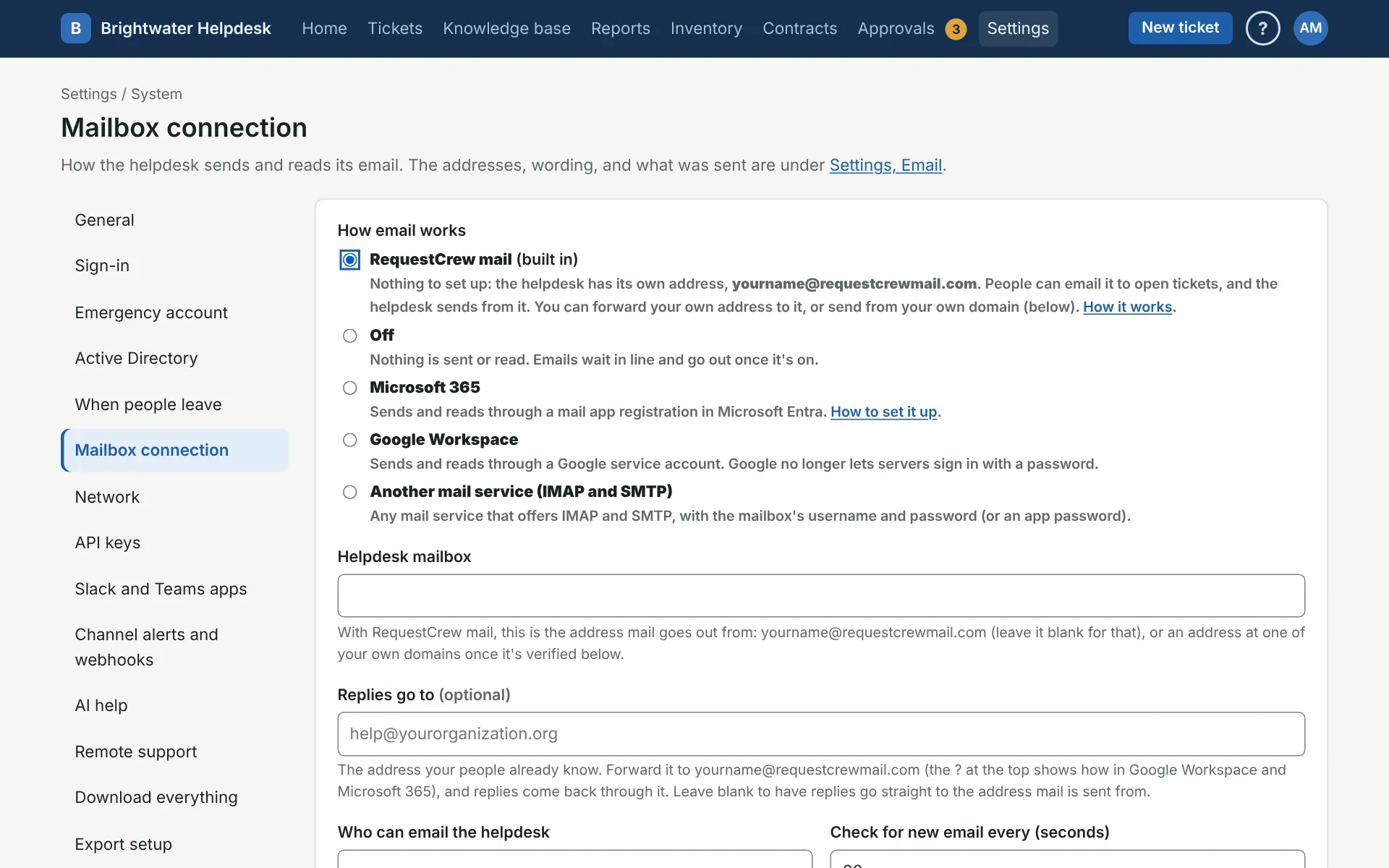
- RequestCrew mail (on helpdesks RequestCrew hosts): built in, with its own address and nothing to set up. You can forward your own address to it and send from your own domain. See RequestCrew mail.
- Off: nothing is sent or read. Emails wait in line and go out once it’s on.
- Microsoft 365: through a mail app registration in Microsoft Entra. Use the mail app’s IDs here, not the sign-in app’s. The client secret runs out 24 months after it’s made, so put a reminder on your calendar.
- Google Workspace: through a Google service account. Paste the whole key file. Once it’s saved, the page shows the client ID and scope to allow in the Google Admin console.
- Another mail service (IMAP and SMTP): the server names, ports, and the mailbox’s username and password (often an app password). Fill in your mail server’s name from the Authentication-Results line, so the helpdesk knows which sender check to believe.
Step-by-step setup for each: Microsoft 365, Google Workspace, or another mail service. Secrets and passwords are stored encrypted and never shown again. Leave the box blank to keep the saved one.
Who can email in
Who can email the helpdesk takes your organization’s email domains, one per line. Leave Sender check on Check that the sender is real. Trust the From address is only for troubleshooting, since anyone outside could pretend to be someone in your organization.
Check for new email every sets how often the mailbox is read, from 15 seconds up.
Also take email from people already in the helpdesk, from any domain is for a helpdesk whose people come from other organizations, like a support desk. With it ticked, anyone already in People can email in from their own address, wherever it is. Nobody new is added that way, and the sender check still applies, so a faked From address is still turned away. A Microsoft 365 mailbox only passes mail from inside your organization, so this works with Google Workspace and other mail services.
Test it
Save first, then:
- Test the connection signs in and opens the mailbox without changing anything.
- Send me a test email sends one to you. If it doesn’t arrive within a minute, look under Sent on the Emails page for the reason.
More on email
- Which email setup to pick
- RequestCrew mail
- Connect a Microsoft 365 mailbox
- Connect a Google Workspace mailbox
- Connect another mail service
- Emails
Still stuck?
Search all the guides or write to us on the Support page.