
Support · Knowledge base
Reading the knowledge base
Search for how-tos and answers, and say whether an article helped.
The knowledge base has how-tos and answers from the teams that run the helpdesk. It’s often the fastest fix, so it’s worth a look before you open a ticket.
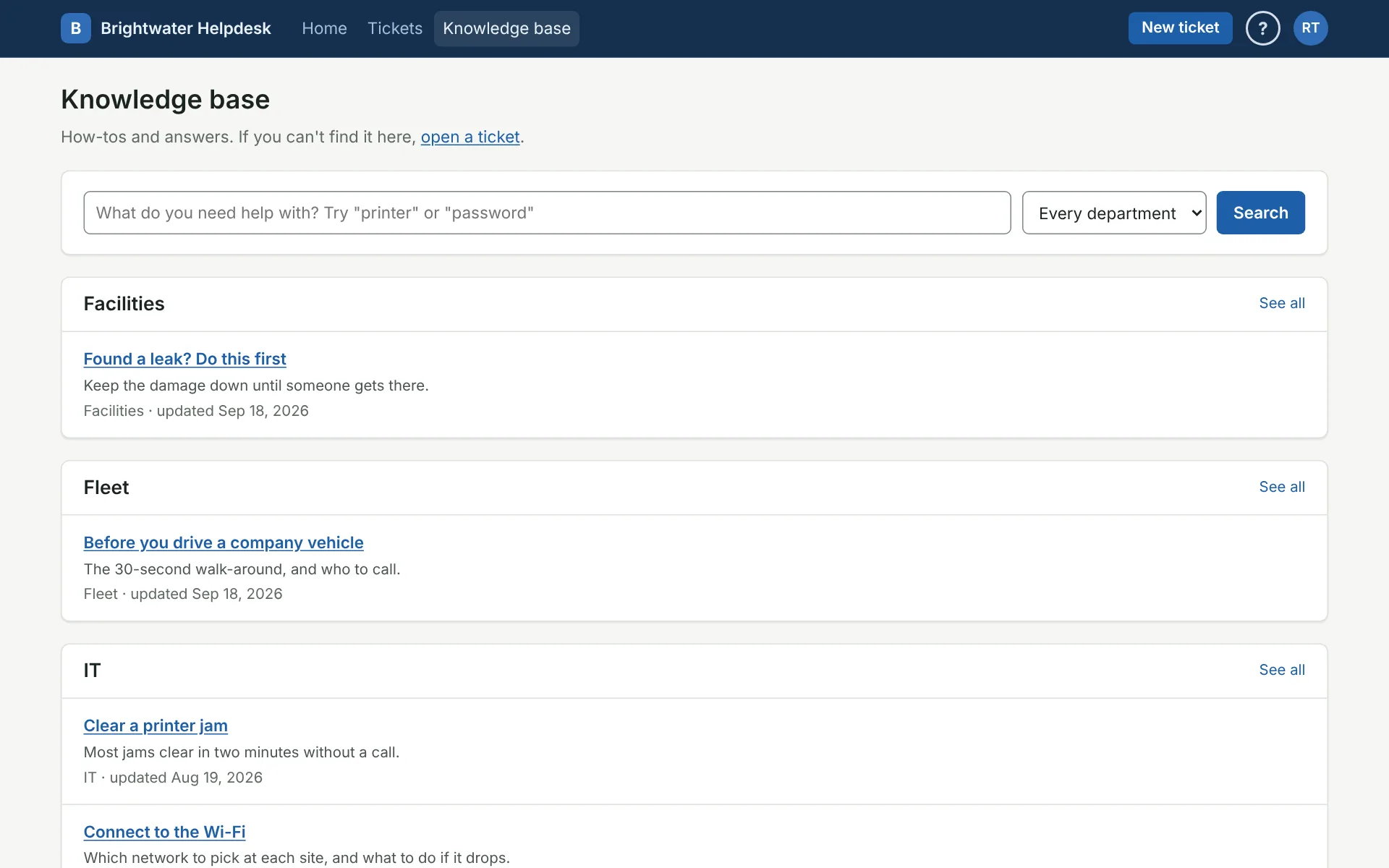
Search
Type what you need in the box at the top, like “printer” or “password,” and click Search. Every word you type has to appear somewhere in an article, so if nothing matches, try fewer or different words. Pick a department to search only its articles.
When a search finds very little, you may see Not finding it? Try other ways of saying it. That uses AI help to look for other words that mean the same thing.
Browse
With nothing typed, the page lists articles by department. See all shows every article in that department.
Read an article
Click a title to open it. Files to download are listed under Files at the bottom, and Related on the side lists other articles on the same topic.
Some articles are marked Staff only. They’re for the techs and managers who work that department’s tickets, and only they can see them. Articles marked All techs are for every tech and department manager, whichever department they’re in.
A tech may send you a link to an article in a reply. It opens the same page.
Say whether it helped
Under Did this help?, click Yes or No. It tells the writers which articles work and which need fixing. If it didn’t help, click Open a ticket and someone will help you.
If you write articles, see Writing articles.
More on knowledge base
Still stuck?
Search all the guides or write to us on the Support page.